
Organize, Recognize, Relive
Desktop photo gallery with offline face recognition.
No cloud,
No subscription,
No uploading.

Common photo management frustrations
Scrolling forever through tiny thumbnails
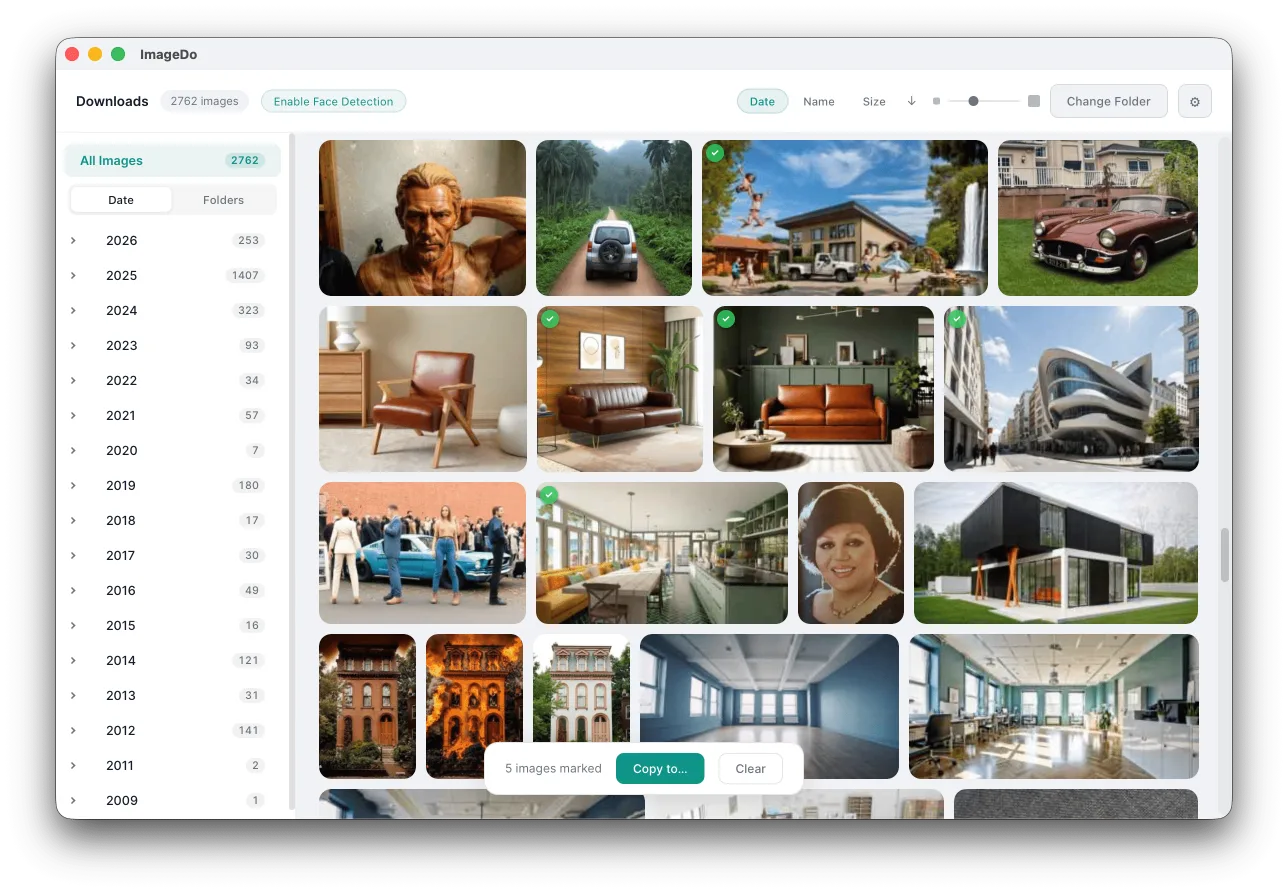
You open a folder with thousands of photos and your file browser chokes. Tiny icons. No preview. You end up opening files one by one hoping to find the right one.
"Which folder was that photo of mom in?"
You know the photo exists. You just can't find it. There's no way to search by who's in the picture, and you've got photos scattered across a dozen folders.
Upload everything to someone else's cloud?
The tools that could actually help like Google Photos, iCloud, Lightroom, all want your entire library uploaded first. That's your family's photos on someone else's server. And most of them charge you monthly for the privilege.
Just want something simple that works offline
You don't need a catalog system. You don't need a subscription. You don't need an account. You just want to open a folder and browse your photos like a normal person.
I had the same frustrations. So I built something.
How ImageDo solves photo management
60,000 photos? Just start scrolling.
Point it at any folder and it loads instantly. Thumbnails generate in parallel, the grid is virtualized, it stays smooth no matter how big your collection gets. No import, no waiting.
Find anyone by face
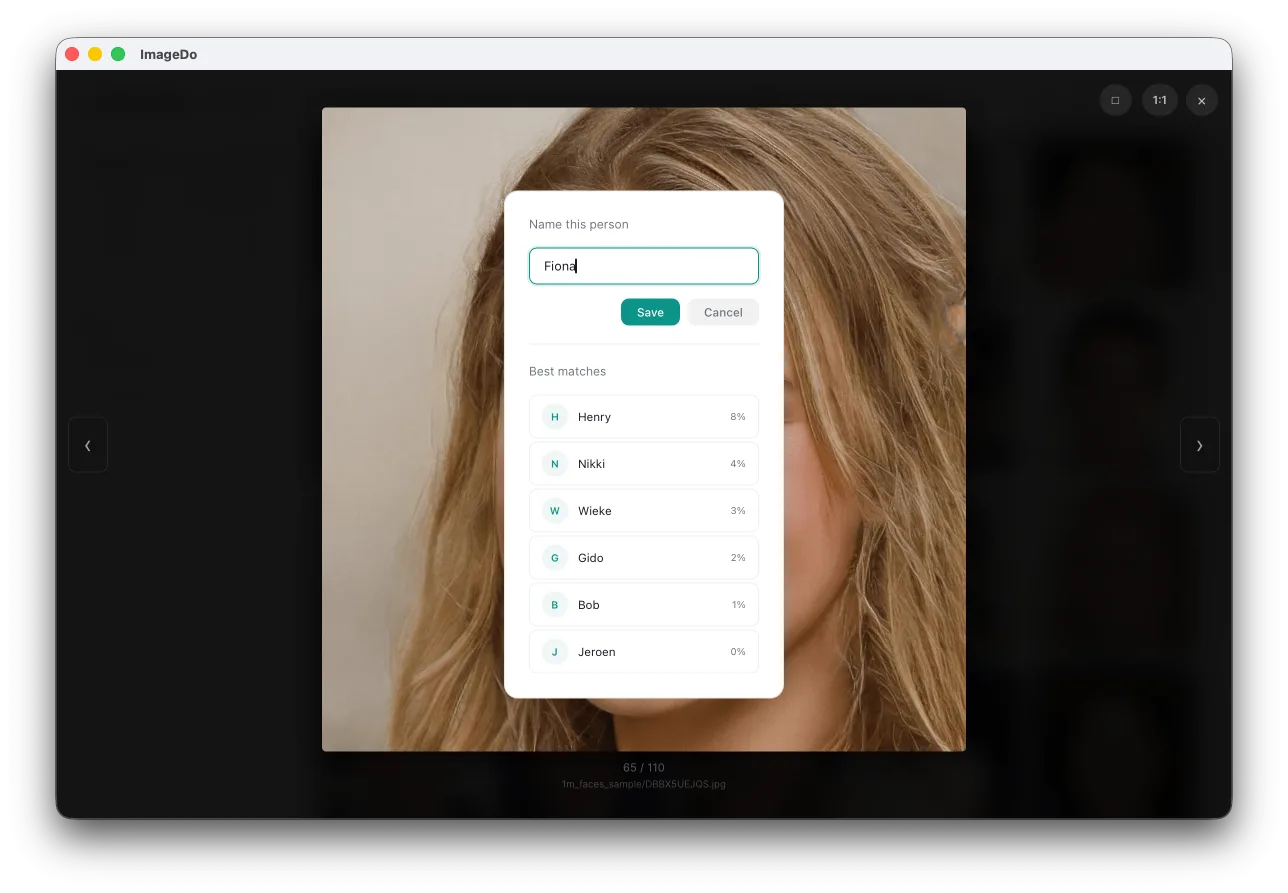
It detects faces and groups them by person automatically. Put a name on one face and it learns who that person is. Want every photo of grandma? Takes about two seconds.
Browse your way
Jump around by year and month using real dates from your camera, or just navigate your folders. Sort by date, name, file size, whatever works for you.
Beautiful lightbox
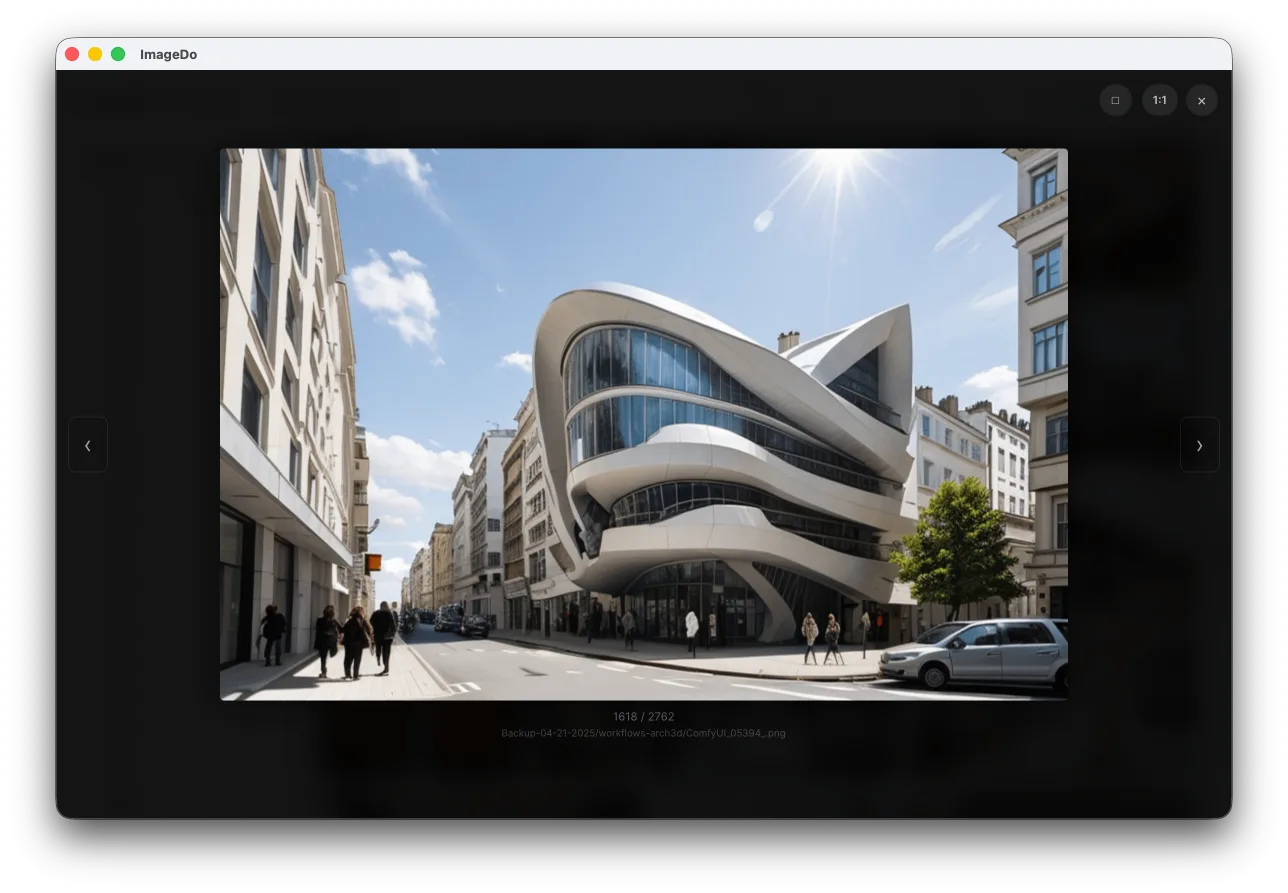
Click any photo and it goes full-screen. Zoom, pan, keyboard nav. It all feels right. Name faces right from the view.
Remembers everything
Thumbnails get cached to disk. Move or rename a file? Cache still works. Come back a week later, everything loads instantly.
Opens anything
JPEG, PNG, WebP, TIFF, GIF, BMP, SVG. All handled natively, with proper EXIF orientation.
You've probably tried these already
| ImageDo | Finder / Explorer | Google Photos | Lightroom | |
|---|---|---|---|---|
| Browse large folders fast | Yes | Slow | N/A (cloud) | Requires import |
| Face recognition | Built in | No | Yes (cloud) | Yes (cloud catalog) |
| Works offline | Always | Yes | No | Partially |
| Your data stays local | Always | Yes | No | Partially |
| No subscription | One-time purchase | Free | Free tier / paid | Subscription |
| Open any folder | Yes | Yes | No | No (catalog) |
| Setup required | None | None | Account + upload | Catalog + import |
Private photo management, no cloud required
Everything happens on your machine. Face recognition, thumbnail generation, all of it, running locally. No account, nothing uploaded, nobody looking at your library but you.
Your hardware, your data
All processing runs on your own machine. Nothing leaves your computer, ever.
Local models
Face recognition runs via ONNX Runtime. No cloud API calls, no third-party services.
Works fully offline
No internet connection needed after install. Works on a plane, a cabin, anywhere.
Zero tracking
No telemetry, no analytics, no usage data. We literally can't see what you do.
No subscription. Seriously.
We're not going to charge you every month to look at your own photos.
Free
Browse up to 500 photos per folder, with everything included. Face detection, timeline, lightbox, the works. Use it as long as you want, no account needed.
Licensed
Unlock unlimited photos across all your folders. One-time payment, no subscription, no recurring anything. Pay once and it's yours.
Buy a licenseFrequently asked questions
How do I browse large photo folders without lag?
ImageDo loads any folder instantly. Thumbnails generate in parallel and the grid is virtualized, so it stays smooth even with 60,000+ photos. No import or catalog setup required.
Can I search photos by person or face?
Yes. ImageDo has built-in face recognition that runs entirely offline. It detects and groups faces automatically. Name one face and it recognizes that person across your whole collection.
Does ImageDo upload my photos to the cloud?
No. Everything runs locally on your machine: face recognition, thumbnail generation, all of it. There is no account, no upload, and no internet connection required after install.
Is ImageDo a subscription service?
No. ImageDo is free to use with up to 500 photos per folder. A one-time license purchase unlocks unlimited photos. No subscription, no recurring payments.
What image formats does ImageDo support?
ImageDo supports JPEG, PNG, WebP, TIFF, GIF, BMP, and SVG. All handled natively with proper EXIF orientation.
Download ImageDo free
Free to use. No account needed. Just download and open a folder.